Somewhere around the fourth Monday in a row spent rebuilding the same performance report, you start asking the question you’ve been thinking about for weeks: is this actually the job? Constant upkeep, dashboard scavenger hunts, going so many levels deep in your menus you think you might actually reach the source code of The Matrix itself.
It all makes up the toll you end up paying on the way to an actual, winning strategy. Marketing automation software can absorb a real chunk of that toll, so it doesn't have to be yours to pay anymore.
It's already sitting inside many of the AI marketing tools you use every day, including OneSignal. We’re not here to force AI to replace your judgment on what to send or who to send it to, but we do want autonomous lifecycle marketing to get your busywork out of the way faster, so you spend your time on the calls that actually require a human.
Ready to draft your next win-back journey before you've finished your coffee?
Meet your two new teammates, for two different jobs
Before the checklist, it helps to be clear on the two tools that make autonomous lifecycle marketing possible: they solve different problems, not the same problem twice.
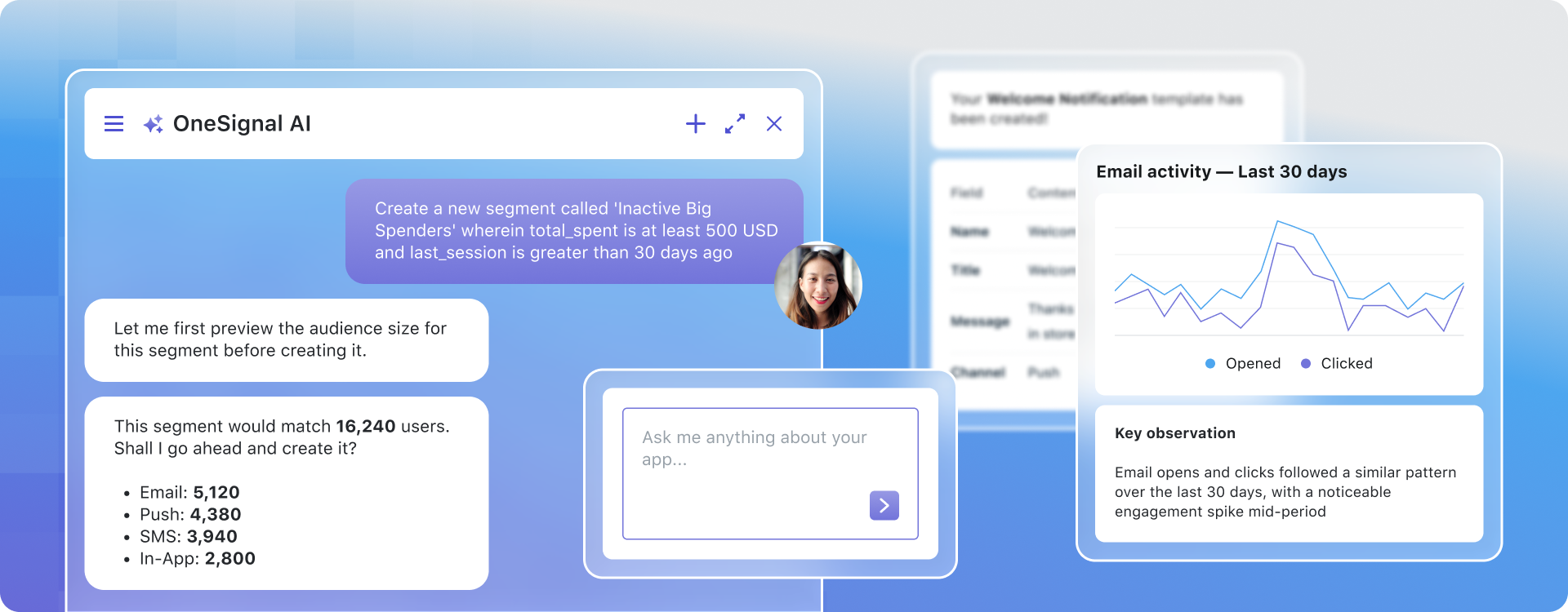
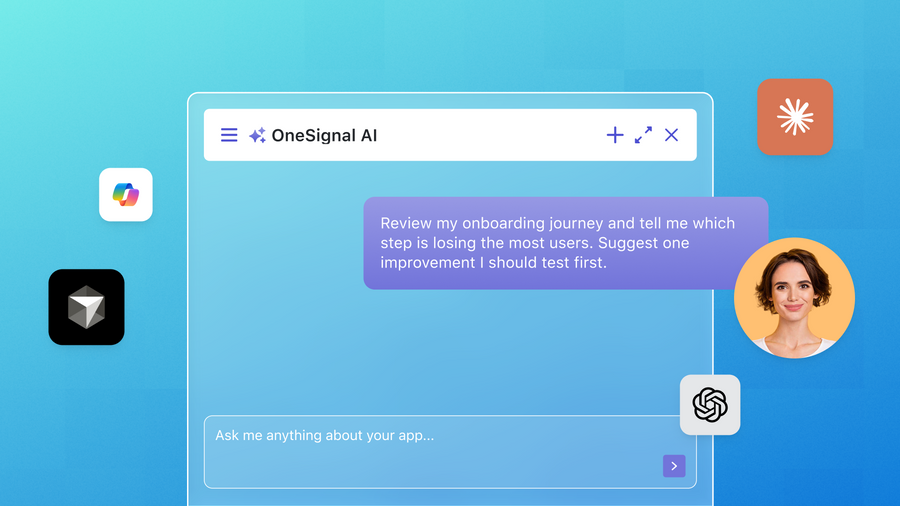
OneSignal AI is an assistant built into the OneSignal dashboard that drafts marketing work using your real account data, including your apps, segments, and campaign history. You open it with Cmd+K (or Ctrl+K) and ask it to draft a segment, a message, a template, or a journey. It never sends anything on its own: every draft comes back to you to review and ship. That combination of speed and human review is what sets AI marketing tools like this apart from generic AI chatbots that lack access to your actual campaign data.
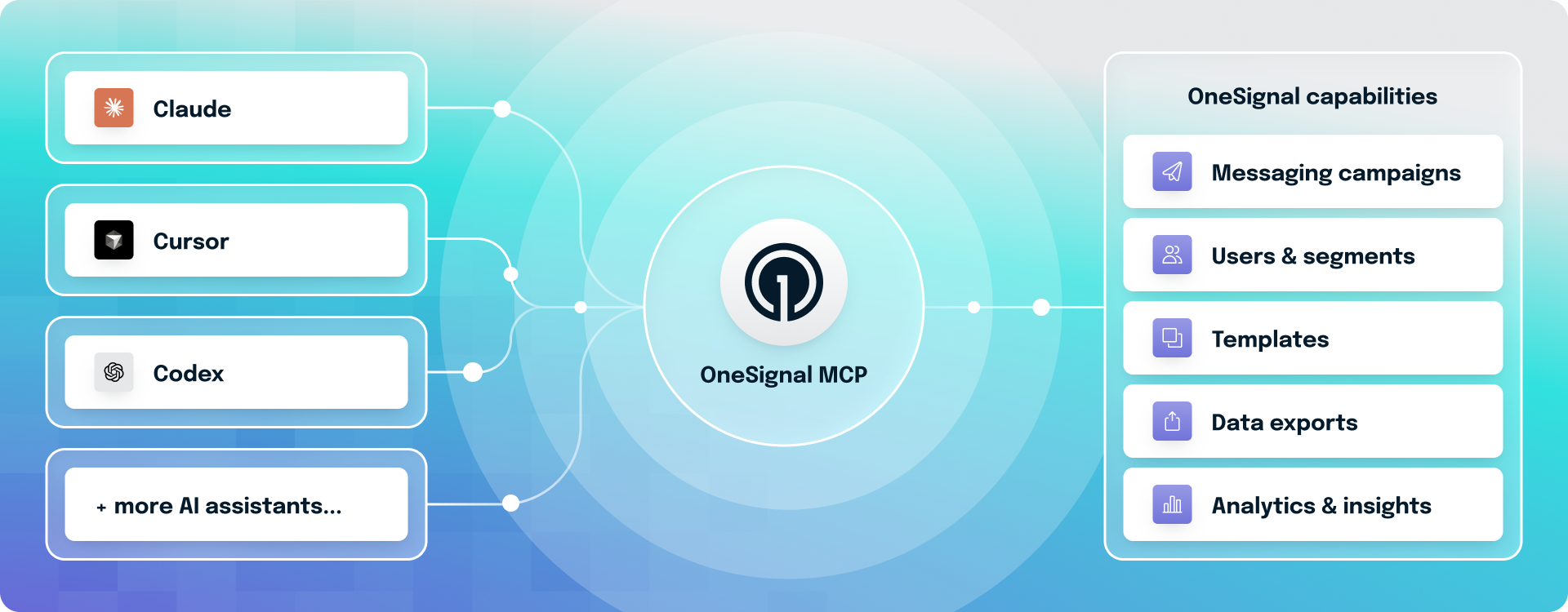
The OneSignal MCP Server works differently: it's a connection point that lets an AI assistant you already use operate OneSignal from outside the dashboard, through plain-language prompts, without requiring a separate marketing automation software login. Because it can take real actions instead of just drafts, it comes with its own guardrails, covered below. It also means your AI assistant can combine OneSignal with whatever else it's connected to, like your data warehouse or your CRM, in a single conversation.
Keep that distinction in mind as you read the list: some of these you delegate from inside OneSignal, some from your own AI tool.
The checklist: hand these off this week
✔️ Stop rebuilding the Monday report. Ask OneSignal AI how your push, email, SMS, or in-app performance looked last week, which campaigns ranked best or worst by open or click rate, or how subscriber growth and opt-outs are trending. It reads your actual account and returns a chart with a roundup.
✔️ Get a Journey's performance broken down step by step, not just as one number. OneSignal AI can walk a specific journey and show you where it's working and where it's leaking, instead of you reverse-engineering it from a funnel chart.
✔️ Describe an audience instead of building the filter yourself. Tell OneSignal AI who you want to reach in plain language. It previews the estimated audience size before it creates anything, so you're not guessing at reach after the fact.
✔️ Get a first draft of push, email, or SMS copy without opening a blank composer. Ask OneSignal AI for the copy while your message editor is open, and it can drop the draft straight in for you to edit and send. If you've set up a Brand Kit, it writes to your brand voice by default, not a generic tone.
✔️ Sketch a win-back or onboarding Journey before you build it from scratch. Describe the flow you want and OneSignal AI hands you a draft Journey to review, edit, and activate. It won't touch a live Journey in place. If you ask it to change one that's already running, it always builds a new draft instead. We’ve put this in place as a deliberate validation guardrail.
✔️ Look up a single user without hunting through the dashboard. Through MCP, ask your AI client to find a user, list every alias and subscription attached to them, or check what channel they're actually reachable on. It can also create or update users, add a subscription, transfer one between users, or unsubscribe an email.
✔️ Start or update a Live Activity from chat. MCP can kick off an iOS Live Activity or update/end one already running. This is particularly useful if you're wiring status updates (order tracking, booking status, a live score) into a broader agentic workflow rather than a one-off API call.
✔️ Pull a CSV export on demand. Ask your MCP-connected AI client to export subscriptions or audience activity, instead of navigating to the export screen and waiting on an email.
✔️ Send a message, with a human still holding the button. MCP can send push, email, or SMS/RCS through send_message, but every compatible AI client treats it as a high-impact action and stops to ask for your confirmation first. It also runs at a lower rate limit than everything else in the toolkit.
✔️ Register a custom event without shipping code. If you're connected via an OAuth client like Cursor or ChatGPT, you can create and list custom event definitions conversationally, which is a real unlock for teams without a developer free that week.
✔️ Chain OneSignal into a workflow bigger than OneSignal. This is the one dashboard AI can't touch. Because MCP is an open standard, your agent can pull behavior data from your warehouse, find where users drop off, build the matching segment in OneSignal, and draft the message.
The guardrails that make this actually trustworthy
None of this is useful if it also puts your account at risk, so here is exactly what neither tool will do. Neither OneSignal AI nor the MCP server deletes, pauses, or duplicates anything. They'll point you to the dashboard page to do that yourself. OneSignal AI never sends a message; everything is a draft until you click Save or Send. The MCP server's send action requires explicit confirmation in your AI client every time, and it's rate-limited on top of that. Nothing you or your AI assistant does here is used to train a model, and this data handling approach is a key differentiator for marketing automation software that businesses can trust with customer data.
These guardrails are what separate autonomous lifecycle marketing that you can trust from AI marketing tools that act without oversight. This system is built to ask before it acts, and every send still requires your confirmation.
Get to know your new marketing teammate today
In OneSignal AI: ask "How did my onboarding journey perform last week, step by step?" or "Create a segment of users who haven't opened the app in 14 days."
In your MCP-connected AI client, an interface that connects AI marketing tools directly to your customer data: ask it to look up a specific user and list their subscriptions, or export last month's audience activity to CSV.
Neither of these replaces your judgment about what your users need. This is what autonomous lifecycle marketing looks like in practice: the system handles the repetitive lookups and reporting that were never really about judgment in the first place, so you have more time for the parts that are.
Get Started for Free